Sponsored Links
Excel Functions

How to Hide Sheet Tabs in Excel – Fast & Easy

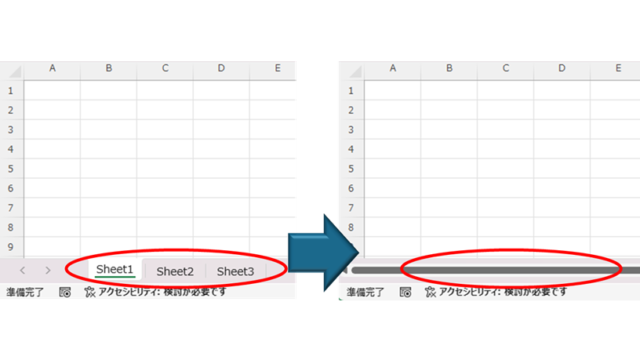
A must for Excel system creators and those considering preventing erroneous operations. This article explains with images how to hide sheet headings to prevent unexpected operations. In fact, it can be achieved with only a simple option setting. This article will help you create safe Excel files.
Excel Macro (VBA)

Macro suddenly stopped working Excel(Excel) Macro(VBA)

I have been experiencing a phenomenon around me where macros suddenly stop working after having been used normally until yesterday. The phenomenon is that I had set up a macro that is activated by double-clicking on a specific cell, but it no longer responds when double-clicked. I went to "Develop..." to check the contents of the macro.
Excel Macro (VBA)

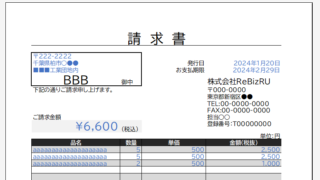
Automatically create invoices from sales invoices3 Excel (Excel)

Continuing from the previous article, "Creating Invoices Automatically from Sales Statements 2: Excel," we will now move on to creating invoices. If you haven't read it yet, please also read "Creating Invoices Automatically from Sales Statements 1: Excel". Putting details on an invoice (using a macro)...
Excel Functions

SUMIF and SUMIFS Functions Excel

The SUMIF function can be used to change the contents of the total according to conditions, and the SUMIFS function can be used to specify multiple conditions. The reason why and how to use the SUMIF...
Excel Macro (VBA)

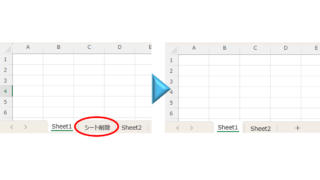
How to delete a sheet by specifying the sheet name VBA(Macro)Excel(Excel)

As the number of unneeded sheets grows, browsing becomes worse, and Excel itself becomes slower. In such cases, you can use VBA to automatically delete unnecessary sheets. In this article, we will show you how to use VBA to delete sheets at high speed...
Sponsored Links
en_USEnglish
Copied title and URL