Excel Functions

Sponsored Links
Excel Functions

How to Extract Text After a Specific Character in Excel Using RIGHT and FIND

Struggling to extract text after a specific character in Excel when data lengths vary? This article explains how to combine the RIGHT and FIND functions to solve the problem—taught by an experienced Excel formula expert.
Excel Functions

How to extract characters before a specific character "LEFT and FIND functions in Excel"

As shown in the figure below, if there is extra data after the string and you want to extract only the string to the left of the extra data, you cannot simply use the LEFT function alone because the number of characters is not constant. Function to extract the left side of the "¥" mark in cell "A2" = LEFT(A2,FIND(...))
Excel Functions

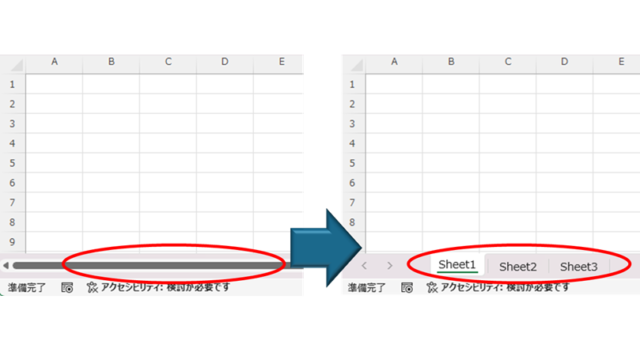
How to Fix Missing Sheets in Excel (Step-by-Step Guide)

This article explains how to solve the sheet heading hiding problem in Excel from the options settings. Have you ever had trouble finding a sheet in a file created by someone else? This article is written by the author, who has experience in supporting Excel operations.
Sponsored Links
Excel Functions

How to Prefer Manual Fill to Conditional Formatting Excel (Excel)

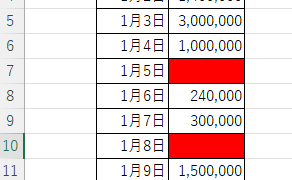
Conditional formatting is a very useful feature that automatically fills in or changes formatting based on specified conditions. However, many of you may have experienced the problem that conditional formatting takes precedence over manual filling. In this article, we will discuss how to use conditional formatting...
Excel Functions

Excel (Excel) to automatically create a backup file every time you save

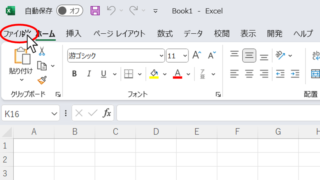
Here is how to automatically create a backup file every time you save Excel. Display the General Options screen First, display the "Save As" screen. On the Excel screen, click the "File" tab, then click "Save As," then click "So...
Excel Functions

Name a cell Excel

There are many times when you need to refer to a cell with coordinates such as "=A1" or "=C50". However, when you try to get the value from another sheet or another book, the coordinates are not always the same.
Excel Functions

Linking two pull-downs (drop-downs) without macros (for linking only one set) Excel (Excel)

この記事ではExcelで2つのプルダウンを連動させる方法を解説します。部署選択後に該当社員のみ表示したいけど作り方が分からず悩んでいませんか?実はINDEX関数とMATCH関数で簡単に連動可能。Excel専門家が伝授します。
Excel Functions

Auto-filter cuts out in the middle, how to fix Excel (Excel)

Have you ever had a situation where you applied an auto-filter and found that the auto-filter was only working on the 20th row, even though data was included up to the 100th row? In this article, we will introduce what you should check when you encounter such a situation. Auto filter aperture...
Excel Functions

How to use Excel (Excel) INDEX and MATCH functions in combination

We will show you how to display the desired data by combining the INDEX function, which refers to data from a table on another sheet, and the MATCH function. How to Write the INDEX Function There are two ways to write the INDEX function. INDEX(array, row number,) INDEX(reference, row number, , )
Excel Functions

How to Hide Sheet Tabs in Excel – Fast & Easy

A must for Excel system creators and those considering preventing erroneous operations. This article explains with images how to hide sheet headings to prevent unexpected operations. In fact, it can be achieved with only a simple option setting. This article will help you create safe Excel files.
Sponsored Links
Copied title and URL