
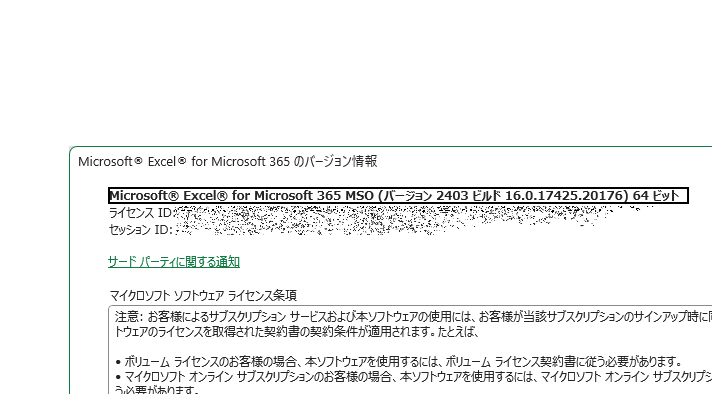
Depending on the Excel version, available features and functions may vary.
It's necessary to be able to check if your version is compatible when errors or bugs occur, so this time we will introduce how to check your Excel version.
Display account information
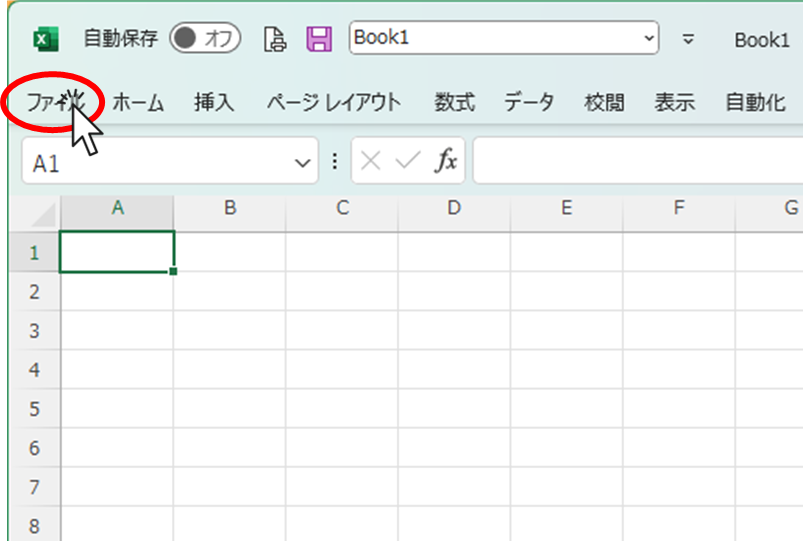
Click the "File" tab
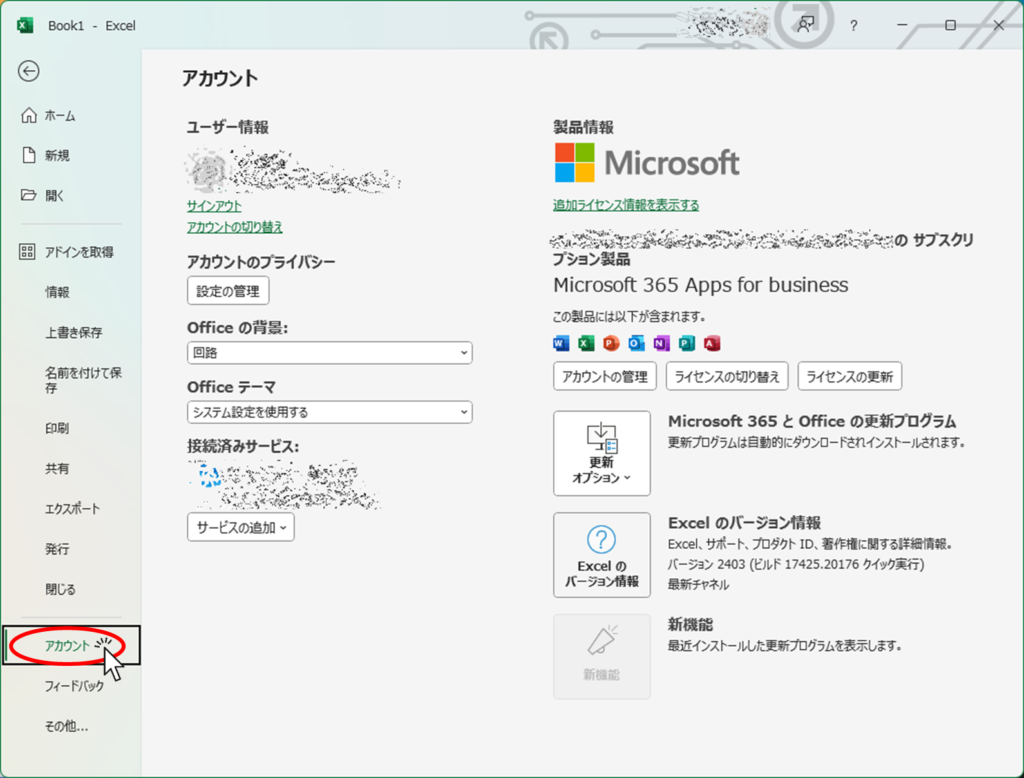
Click "Account" in the left menu.
Display version
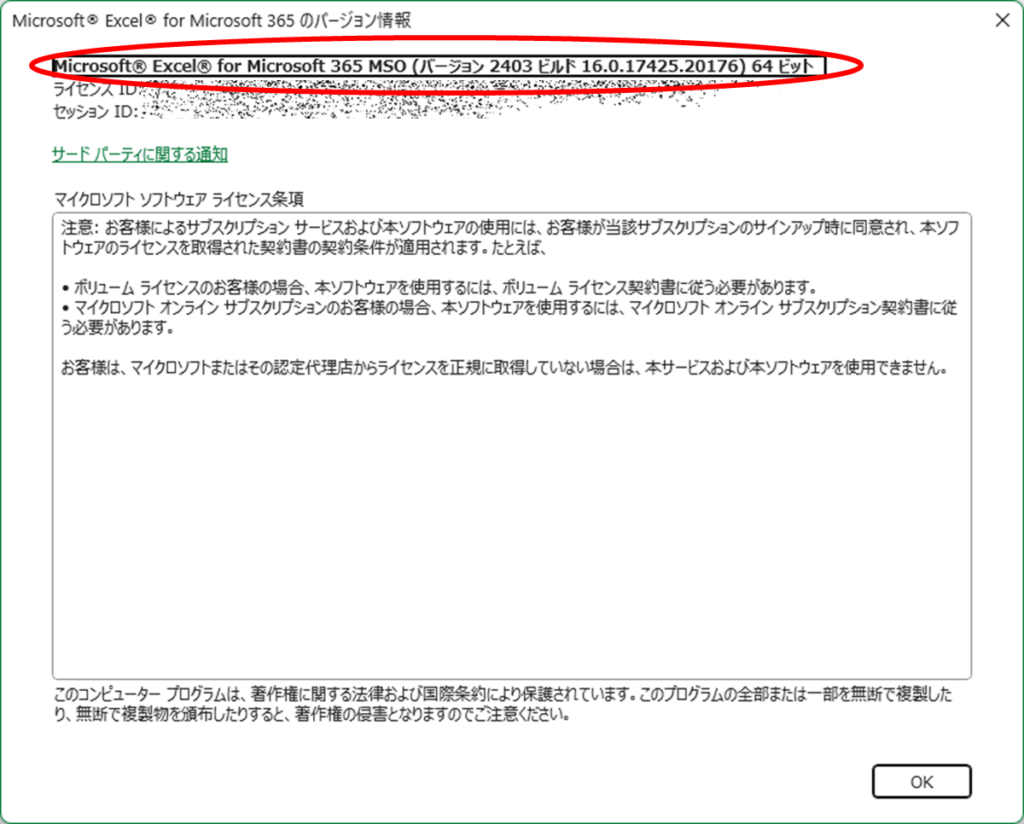
Next, click "Excel Version Information" in your account information.
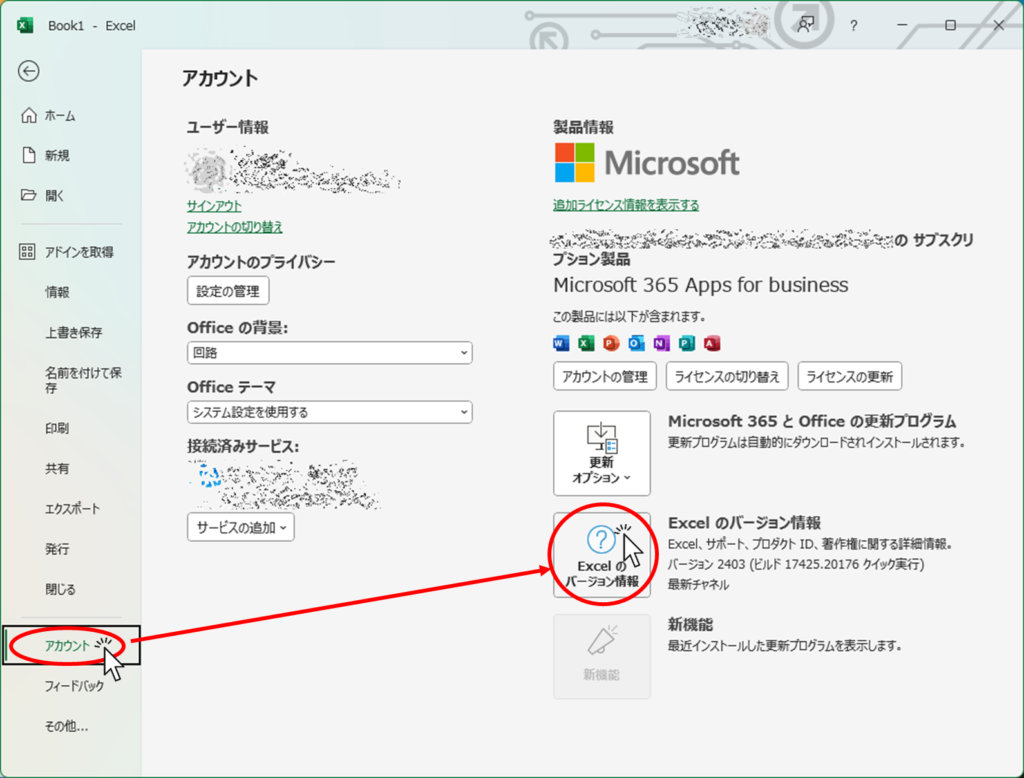
The location shown in the red box below is the Excel version information.

 English
  日本語
日本語
Comment