Excel Functions

Sponsored Links
Excel Functions

How to Prefer Manual Fill to Conditional Formatting Excel (Excel)

Conditional formatting is a very useful feature that automatically fills in or changes formatting based on specified conditions. However, many of you may have experienced the problem that conditional formatting takes precedence over manual filling. In this article, we will discuss how to use conditional formatting...
Excel Functions

How to correct "###" in cell display Excel (Excel)

When dealing with numbers in Excel, it often happens that the sharpness of the numbers becomes "######" as shown in the title, and the value becomes unreadable. The conclusion is that the reason for the "#####" is that the length of the value is larger than the size of the cell, making it impossible to display...
Excel Functions

Insert rows without breaking formulas (using spil) Excel (Excel)

With Microsoft365 and Excel 2021 or later versions, you can insert, delete, and rearrange rows without breaking the formula by using a feature called Spill. In this article, we will show you a specific example...
Excel Functions

SUMIF and SUMIFS Functions Excel

The SUMIF function can be used to change the contents of the total according to conditions, and the SUMIFS function can be used to specify multiple conditions. The reason why and how to use the SUMIF...
Excel Functions

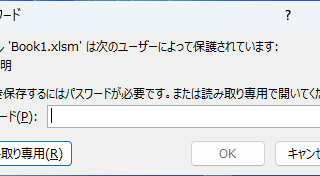
Forgot Password? How to Remove Read-Only (Write Protection) in Excel

If you forgot your Excel password, don’t worry! This article explains how to remove write protection easily by simply changing the file extension. Learn how to unlock read-only mode fast.
Excel Functions

3 Easy Ways to Hide or Show Zero Values in Excel: Simple Formatting Tips

As shown in the figure below, when "A1" cell contains 150 and "A2" cell also contains the same number, 150, the calculation result of "=A1-A2" is "0" zero. There are three ways to avoid displaying numbers when the result of the calculation is "0" zero. The result of the calculation is "0" zero...
Sponsored Links
Copied title and URL