Sponsored Links
Excel Macro (VBA)

How to use the input screen "InputBox" Excel Macro (VBA)

If you want to use values or arbitrary characters that do not exist in Excel, the "InputBox" is useful to easily create an input screen during macro execution. In this article, we will briefly explain how to use this "InputBox".
Excel Functions

Insert rows without breaking formulas (using spil) Excel (Excel)

With Microsoft365 and Excel 2021 or later versions, you can insert, delete, and rearrange rows without breaking the formula by using a feature called Spill. In this article, we will show you a specific example...
Excel Macro (VBA)

How to Find the Last Row in Excel Using VBA (Macro Guide for Beginners)

We show you how to search through the data from the top down, and how to start from the bottom row of the Excel file and work your way up.
Excel Functions

3 Easy Ways to Hide or Show Zero Values in Excel: Simple Formatting Tips

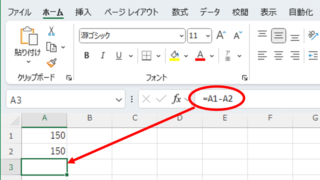
As shown in the figure below, when "A1" cell contains 150 and "A2" cell also contains the same number, 150, the calculation result of "=A1-A2" is "0" zero. There are three ways to avoid displaying numbers when the result of the calculation is "0" zero. The result of the calculation is "0" zero...
Excel Macro (VBA)

The Complete Guide to IF AND in VBA|Thorough explanation from basic syntax to practical techniques

I want to combine IF and AND statements in VBA, but I don't know how to write it..." I have experienced such a problem. Actually, the way to write it is a little different from the IF function in Excel. In my 20 years of Excel work, I have used IF AND in VBA to automate many tasks...
Sponsored Links
en_USEnglish
Copied title and URL