Sponsored Links
Excel Functions

Automatically create invoices from sales invoices 2 Excel (Excel)

Creating Invoices Automatically from Previous Sales Statements1 Continuing from Excel (Excel), we will create an invoice. Putting the details on the invoice (using a function)*Using the "FILTER" function using Spil*This one uses the Spil function, so you will need to use Microsoft365 or E...
Excel Macro (VBA)

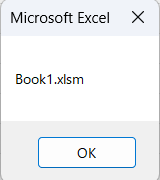
How to use the variable type "Workbook" Excel(Excel) Macro(VBA)

For other variable types, please refer to Excel (Excel) Macro (VBA) about variable types. First, we will explain the basic usage of the variable type "Workbook".
Excel Functions

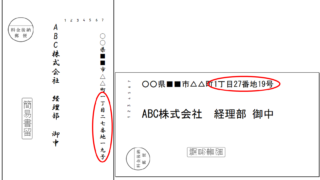
How to Instantly Convert Address Numbers to Kanji Using SUBSTITUTE in Excel.

When printing addresses on envelopes using the address list of a New Year's card or a customer list, for example, horizontal envelopes are written in arithmetic (Arabic) numerals such as "1, 2, 3", while vertical envelopes must be written in Chinese numerals such as "1, 2, 3". Substitute the numbers...
Excel Macro (VBA)

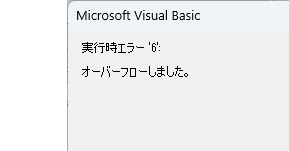
VBA "Overflow occurred." Error cause and remedy (runtime error '6′:)

Cause of ErrorThis error occurs when the data type is not in a format that can be handled, or when the data type exceeds the range of numbers that can be handled. First, let's reproduce the error. As shown in the figure above, we have set up the code to copy the numeric value in cell "B3" to cell "B4".
Sponsored Links
en_USEnglish
Copied title and URL