Sponsored Links
Excel Functions

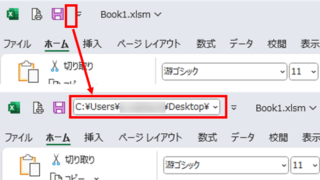
Allows you to see the address where the book is saved Excel (Excel)

You can display the path in the toolbar so that you can always see the address where you saved your Excel book. We will show you how to do this in this article. Click on the "File" tab, click on "Options", click on "Quick Access Toolbar" > "All...", and then click on "Quick Access Toolbar" > "Quick Access Toolbar" > "All...".

Excel Functions

How to extract characters before a specific character "LEFT and FIND functions in Excel"

As shown in the figure below, if there is extra data after the string and you want to extract only the string to the left of the extra data, you cannot simply use the LEFT function alone because the number of characters is not constant. Function to extract the left side of the "¥" mark in cell "A2" = LEFT(A2,FIND(...))
Excel Functions

3 Easy Ways to Hide or Show Zero Values in Excel: Simple Formatting Tips

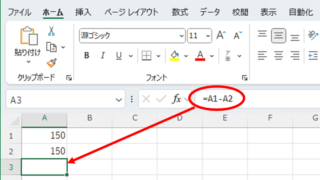
As shown in the figure below, when "A1" cell contains 150 and "A2" cell also contains the same number, 150, the calculation result of "=A1-A2" is "0" zero. There are three ways to avoid displaying numbers when the result of the calculation is "0" zero. The result of the calculation is "0" zero...
Excel Functions

How to use the Spill function Excel (Excel)

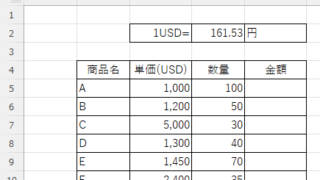
I had neglected the "spill" feature implemented in Microsoft365 and Excel2021 for a while because I didn't really understand it, but when I tried it, I found it to be very useful. I found it to be very useful. Moreover, I thought that I could do a lot of things by applying this function...
Sponsored Links
en_USEnglish
Copied title and URL