Sponsored Links
Excel Functions

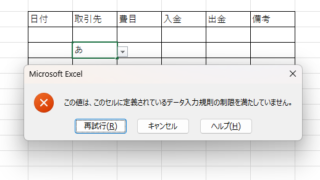
Excel to allow entry of items not in the pull-down (drop-down) list

When using the pull-down entry function in Excel with the default settings, if you try to enter an item that is not in the list prepared for entry, an error message like the one shown below will appear and you will not be able to enter the item. In such a case, you can either allow any item to be entered, or display a message...
Excel Functions

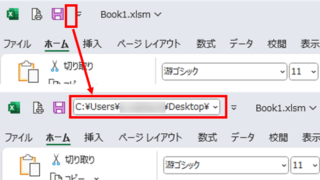
Allows you to see the address where the book is saved Excel (Excel)

You can display the path in the toolbar so that you can always see the address where you saved your Excel book. We will show you how to do this in this article. Click on the "File" tab, click on "Options", click on "Quick Access Toolbar" > "All...", and then click on "Quick Access Toolbar" > "Quick Access Toolbar" > "All...".
Excel Macro (VBA)

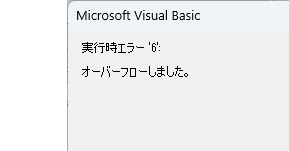
VBA "Overflow occurred." Error cause and remedy (runtime error '6′:)

Cause of ErrorThis error occurs when the data type is not in a format that can be handled, or when the data type exceeds the range of numbers that can be handled. First, let's reproduce the error. As shown in the figure above, we have set up the code to copy the numeric value in cell "B3" to cell "B4".
googlesheet

How to Convert Excel to Google Sheets (Step-by-Step Guide for 2025)

This article provides a detailed, beginner-friendly explanation of how to convert Excel files into Google Sheets. Are you struggling because a client has asked you to submit your data in Google Sheets format? The truth is, the conversion process is easier than you might think. Written by someone with experience in streamlining IT workflows, this guide walks you through the steps clearly and practically.
Sponsored Links
en_USEnglish
Copied title and URL