Sponsored Links
Excel Macro (VBA)

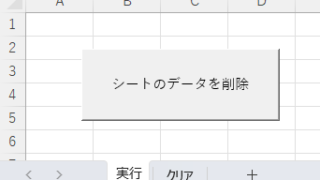
How to Clear Sheet Data with Excel VBA: Simple Macro Tutorial for Beginners

Tired of manually deleting large amounts of Excel data? This article explains how to delete sheet data using VBA macros with ClearContents, Clear, and Delete—completing the task in seconds.
Excel Functions

Excel RIGHT and LEFT functions to extract a specific number of characters from the right or left of a string

I want to display only the four characters from the right of the data entered in a cell, or I want to display the rest of the data without displaying the left few characters. Conversely, I want to display only 4 characters from the left of the data entered in a cell, or I want to display the rest of the data without displaying the few characters on the right. Thus...
Excel Functions

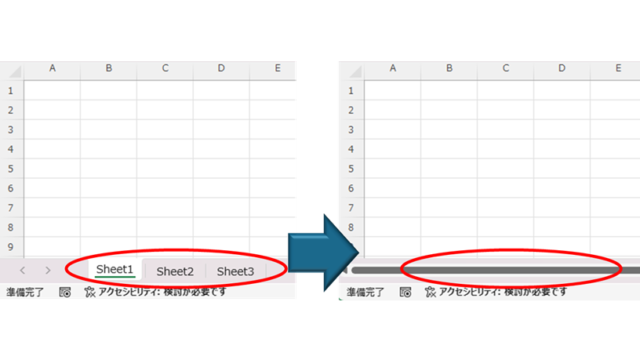
How to Hide Sheet Tabs in Excel – Fast & Easy

A must for Excel system creators and those considering preventing erroneous operations. This article explains with images how to hide sheet headings to prevent unexpected operations. In fact, it can be achieved with only a simple option setting. This article will help you create safe Excel files.
Excel Macro (VBA)

What is an Excel (Excel) Macro (VBA) Module and Procedure?

When dealing with VBA, you will come across terms such as modules and procedures, which are not used in everyday life. So, here I will explain about modules and procedures. Modules include standard modules, book modules, sheet modules, fo...
Excel Functions

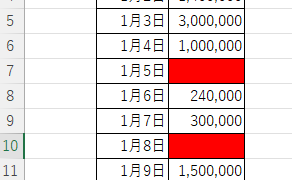
Excel (Excel) Conditional Formatting Methods

Excel has a function to change the format according to cell values and various conditions. Here is an example of a specific setting. Suppose you have a simple table like the one below, and you want to shade in red the cells where no sales have been entered. First, select the range you want to format. Next, select "Home"...
Sponsored Links
en_USEnglish
Copied title and URL