Sponsored Links
Excel Macro (VBA)

VBA "Overflow occurred." Error cause and remedy (runtime error '6′:)

Cause of ErrorThis error occurs when the data type is not in a format that can be handled, or when the data type exceeds the range of numbers that can be handled. First, let's reproduce the error. As shown in the figure above, we have set up the code to copy the numeric value in cell "B3" to cell "B4".
Excel Functions

Forgot Password? How to Remove Read-Only (Write Protection) in Excel

If you forgot your Excel password, don’t worry! This article explains how to remove write protection easily by simply changing the file extension. Learn how to unlock read-only mode fast.
Excel Functions

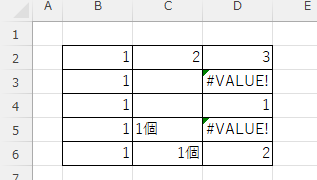
What does the error message "#VALUE!" mean and what can I do about it?

Error messages are unavoidable when dealing with Excel, and you may be surprised when they suddenly appear. Here are the meanings and countermeasures for these errors. As an example of preconditions, let's make a table like this...
Excel Functions

How to use Excel (Excel) INDEX and MATCH functions in combination

We will show you how to display the desired data by combining the INDEX function, which refers to data from a table on another sheet, and the MATCH function. How to Write the INDEX Function There are two ways to write the INDEX function. INDEX(array, row number,) INDEX(reference, row number, , )
Sponsored Links
en_USEnglish
Copied title and URL