Sponsored Links
Excel Functions

Excel: Color Cells When Input Doesn’t Match Dropdown List

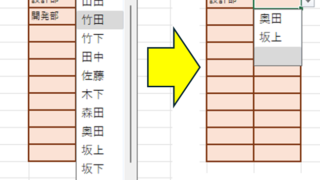
In this article, you'll learn how to use conditional formatting in Excel to automatically change cell colors when a value entered doesn't match the dropdown list. If you've been struggling with errors during data aggregation using the VLOOKUP function, you're not alone. Fortunately, combining the MATCH and ISNA functions offers a simple and effective solution.
Windows

How to Enable Excel Macros: Fix 'Macro Has Been Blocked' Error Safely

If you are having trouble running Excel macros, you have come to the right place. This article explains how to solve the red band message that appears in version 2203 and later. Actually, it can be easily solved by file saving and property settings. This article will help you solve the macro block problem completely. 
Excel Macro (VBA)

What is an Excel (Excel) Macro (VBA) Module and Procedure?

When dealing with VBA, you will come across terms such as modules and procedures, which are not used in everyday life. So, here I will explain about modules and procedures. Modules include standard modules, book modules, sheet modules, fo...
Excel Functions

Easy with Excel and Word! Mastering the art of address printing that anyone can do!

Have you ever had to worry about writing addresses for New Year's cards and summer greeting cards? Writing dozens of cards by hand is a lot of work, but buying specialized software is also a bit expensive.... Everyone has experienced this dilemma at least once. But the truth is, your computer...
Excel Functions

Linking two pull-downs (drop-downs) without macros (when reflected in multiple rows) Excel (Excel)

A must-see for those who want to create Excel linked multi-row dropdowns! This article explains in detail how to link multi-row dropdowns without macros. In fact, it can be easily achieved with the INDIRECT function and named ranges. Reading this article will enable you to create efficient spreadsheets.
Sponsored Links
en_USEnglish
Copied title and URL