Sponsored Links
Excel Functions

Automatically create invoices from sales invoices1 Excel (Excel)

There are many useful software systems that automatically output invoices as you record sales data if you pay for them, but many people are unable to install software because they "don't have enough money to pay for it" or "management won't allow it" and are making each invoice by hand...
Excel Functions

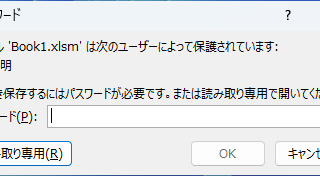
Forgot Password? How to Remove Read-Only (Write Protection) in Excel

If you forgot your Excel password, don’t worry! This article explains how to remove write protection easily by simply changing the file extension. Learn how to unlock read-only mode fast.
Excel Functions

Switch between manual and automatic recalculation methods in Excel (Excel)

Excel, which contains a large number of formulas, will recalculate each time you perform some operation, and you will not be able to perform the next operation until the calculation is finished. If you feel that Excel is too slow, you can stop the recalculation to make it run more smoothly. Also, for some reason without realizing it...
Excel Functions

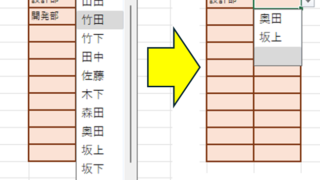
Linking two pull-downs (drop-downs) without macros (when reflected in multiple rows) Excel (Excel)

A must-see for those who want to create Excel linked multi-row dropdowns! This article explains in detail how to link multi-row dropdowns without macros. In fact, it can be easily achieved with the INDIRECT function and named ranges. Reading this article will enable you to create efficient spreadsheets.
Excel Functions

Locking cells to protect only a specific range of sheets Excel (Excel)

When using the sheet protection function, there is a function that allows detailed usage such as "allow selection and input in this range of cells, but not in other cells". For example, let's say you have a system that automatically creates transfer data when you enter a company name and amount of money as shown below. In this example...
Sponsored Links
en_USEnglish
Copied title and URL