 Excel Functions
 Absolute and relative references in Excel (Excel)
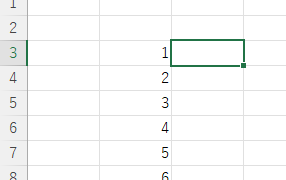
Absolute and relative references are explained below. Relative reference: If you want to display the same contents in cell "C3" as in the neighboring cell "B3", enter the following in cell "C3": =B3. If you want to display the same content in cell "C3" as in the neighboring cell "B3", enter the following in cell "C3": =B3
 English
  日本語
日本語