Sponsored Links
Excel Functions

How to set up a link by inserting a hyperlink Excel (Excel)

Here is how to set up a hyperlink using the Insert Hyperlink function. For example, let's say you have created a document with a table of contents as shown below, which jumps to a cell within the page. Let's say you have created a page with a table of contents as shown in the figure below, and when you click on the name of an item in the table of contents, you will jump to that item. First, let's create a page with a hyperlink to a cell in the page...
googlesheet

How to Convert Google Sheets to Excel

When a business partner submits data in a Google Spreadsheet, or when data created in a Google Spreadsheet is required to be submitted in Excel, it will be necessary to convert the data to Excel. In this article, we will discuss the Google Spreadsheet...
Excel Functions

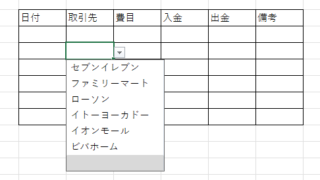
Linking two pull-downs (drop-downs) without macros (when reflected in multiple rows) Excel (Excel)

A must-see for those who want to create Excel linked multi-row dropdowns! This article explains in detail how to link multi-row dropdowns without macros. In fact, it can be easily achieved with the INDIRECT function and named ranges. Reading this article will enable you to create efficient spreadsheets.
Excel Functions

Forgot Password? How to Remove Read-Only (Write Protection) in Excel

If you forgot your Excel password, don’t worry! This article explains how to remove write protection easily by simply changing the file extension. Learn how to unlock read-only mode fast.
Sponsored Links
en_USEnglish
Copied title and URL