Sponsored Links
Excel Macro (VBA)

Color every other line alternately to make stripes

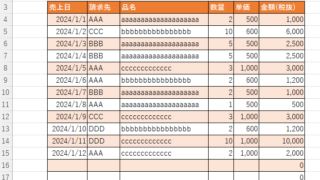
When creating a table, it is possible to make the table very easy to read if each row is colored alternately and striped. In this issue, we will show you three ways to do this. How to use the table functionHow to set up a tableSelect a cell anywhere in the table you want to make a table and click "Insert...
Excel Functions

How to Use Excel (Excel) Pull-Downs (Drop-Downs): How to Streamline Data Entry in a Few Simple Steps

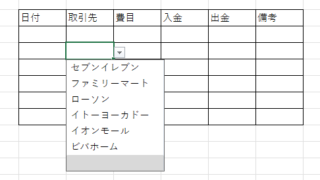
By selecting items from pull-down menus instead of entering them freely, you can save time and effort in entering data, and you can also improve the reliability of data by preventing distortions in the notation. Preventing distortions in the notation allows the same data to be recognized as the same when tabulating data, so it can be used in Excel....
Excel Functions

How to apply mosaic (blur) Excel

When you are preparing a document or manual for external publication, you may need to refer to a web site or a screen where non-public information is visible. In such a case, you would like to put a mosaic like this on the non-public part. We will explain this method in detail in this issue...
Excel Functions

Allows you to see the address where the book is saved Excel (Excel)

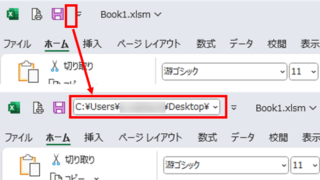
You can display the path in the toolbar so that you can always see the address where you saved your Excel book. We will show you how to do this in this article. Click on the "File" tab, click on "Options", click on "Quick Access Toolbar" > "All...", and then click on "Quick Access Toolbar" > "Quick Access Toolbar" > "All...".
Sponsored Links
en_USEnglish
Copied title and URL