Sponsored Links
Excel Macro (VBA)

How to use the property of variable type "Workbook" Excel (Excel) Macro (VBA)

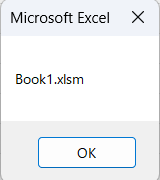
You can read more about how to use the variable type "Workbook" in this blog. How to use the variable type "Workbook" Excel(Excel)Macro(VBA)Here we will explain the "Workbook" property in a little more detail.Wo...
Excel Functions

How to apply mosaic (blur) Excel

When you are preparing a document or manual for external publication, you may need to refer to a web site or a screen where non-public information is visible. In such a case, you would like to put a mosaic like this on the non-public part. We will explain this method in detail in this issue...
Excel Functions

Automatically create invoices from sales invoices1 Excel (Excel)

There are many useful software systems that automatically output invoices as you record sales data if you pay for them, but many people are unable to install software because they "don't have enough money to pay for it" or "management won't allow it" and are making each invoice by hand...
Excel Macro (VBA)

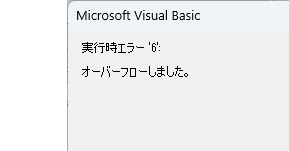
VBA "Overflow occurred." Error cause and remedy (runtime error '6′:)

Cause of ErrorThis error occurs when the data type is not in a format that can be handled, or when the data type exceeds the range of numbers that can be handled. First, let's reproduce the error. As shown in the figure above, we have set up the code to copy the numeric value in cell "B3" to cell "B4".
Sponsored Links
en_USEnglish
Copied title and URL