Sponsored Links
Excel Functions

How to extract characters before a specific character "LEFT and FIND functions in Excel"

As shown in the figure below, if there is extra data after the string and you want to extract only the string to the left of the extra data, you cannot simply use the LEFT function alone because the number of characters is not constant. Function to extract the left side of the "¥" mark in cell "A2" = LEFT(A2,FIND(...))
Excel Functions

Creating a QR Code in Excel (Excel)

QR codes are a very convenient way to tell someone a URL or email address, rather than a string of text. It is a very convenient tool because all the recipient has to do is read it. However, the only way to make them is to create and download them using free sites on the Internet...
googlesheet

How to Convert Google Sheets to Excel

When a business partner submits data in a Google Spreadsheet, or when data created in a Google Spreadsheet is required to be submitted in Excel, it will be necessary to convert the data to Excel. In this article, we will discuss the Google Spreadsheet...
Excel Functions

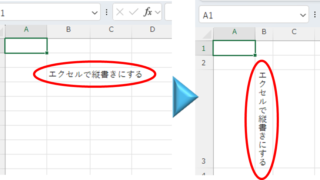
Top 4 Ways to Write Vertically in Excel: Features, Pros, and Best Use Cases

Excel is normally designed to be written horizontally, but it can also be written vertically. There are several ways to do this, but in this article, we will introduce four methods, two using "cell formatting" and two using "text boxes. Using "Vertical Writing" Cell Formatting1....
Sponsored Links
en_USEnglish
Copied title and URL