Sponsored Links
Excel Functions

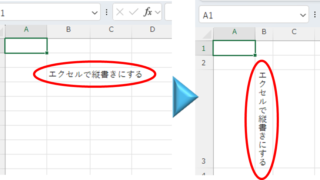
Top 4 Ways to Write Vertically in Excel: Features, Pros, and Best Use Cases

Excel is normally designed to be written horizontally, but it can also be written vertically. There are several ways to do this, but in this article, we will introduce four methods, two using "cell formatting" and two using "text boxes. Using "Vertical Writing" Cell Formatting1....
Edge

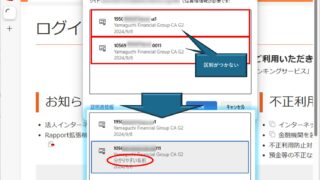
How to Change Digital Certificate Display Names in Microsoft Edge for Easy Identification

How to Change Digital Certificate Names in Edge | Stop Certificate Confusion. Set friendly names for easy identification. Step-by-step guide to distinguish multiple certificates in Microsoft Edge browser.
googlesheet

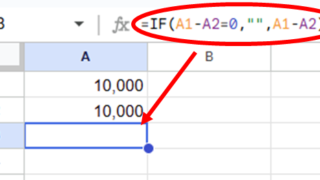
2 Easy Ways to Hide or Show Zero Values in Google Sheets

Looking to hide zero values in Google Sheets? This must-read guide explains two easy methods—using custom formatting and the IF function. Discover how to instantly clean up your tables and boost the visual quality of your documents. Would you like a slightly shorter or more technical variation as well?
Excel Functions

3 Easy Ways to Hide or Show Zero Values in Excel: Simple Formatting Tips

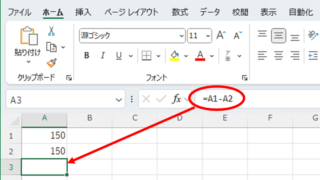
As shown in the figure below, when "A1" cell contains 150 and "A2" cell also contains the same number, 150, the calculation result of "=A1-A2" is "0" zero. There are three ways to avoid displaying numbers when the result of the calculation is "0" zero. The result of the calculation is "0" zero...
Sponsored Links
en_USEnglish
Copied title and URL