Sponsored Links
Excel Functions

For beginners] Explanation of causes of Excel being slow and countermeasures.

Manager, have you ever felt 'kind of heavy' when using Excel? Student Yes, sir! I recently started using Excel to improve my business, but I'm having trouble opening files because it takes so long. ManagerYes, that's right. Many people have the same problem...
Excel Functions

Absolute and relative references in Excel (Excel)

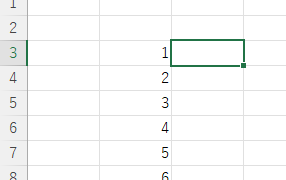
Absolute and relative references are explained below. Relative reference: If you want to display the same contents in cell "C3" as in the neighboring cell "B3", enter the following in cell "C3": =B3. If you want to display the same content in cell "C3" as in the neighboring cell "B3", enter the following in cell "C3": =B3
Excel Macro (VBA)

How to use the method of variable type "Workbook" Excel (Excel) Macro (VBA)

You can read more about how to use the variable type "Workbook" in this blog. How to use the variable type "Workbook" Excel(Excel)Macro(VBA)Here we will explain the "Workbook" method in a little more detail.Wor...
Excel Macro (VBA)

Get the full path (save location and file name) of the opened Excel file "FullName" Excel (Excel) Macro (VBA)

There are many situations where it is useful to be able to retrieve the location of the Excel file you are currently operating on when you are trying to retrieve values from another Excel file or save a file as a name using a macro. In this article, we will show you how to use the "FullName" command, which is useful in such cases. The currently open...
Sponsored Links
en_USEnglish
Copied title and URL