Sponsored Links
Excel Functions

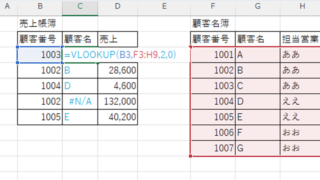
Switch between manual and automatic recalculation methods in Excel (Excel)

Excel, which contains a large number of formulas, will recalculate each time you perform some operation, and you will not be able to perform the next operation until the calculation is finished. If you feel that Excel is too slow, you can stop the recalculation to make it run more smoothly. Also, for some reason without realizing it...
Excel Functions

How to use the Spill function Excel (Excel)

I had neglected the "spill" feature implemented in Microsoft365 and Excel2021 for a while because I didn't really understand it, but when I tried it, I found it to be very useful. I found it to be very useful. Moreover, I thought that I could do a lot of things by applying this function...
Excel Functions

Allows you to see the address where the book is saved Excel (Excel)

You can display the path in the toolbar so that you can always see the address where you saved your Excel book. We will show you how to do this in this article. Click on the "File" tab, click on "Options", click on "Quick Access Toolbar" > "All...", and then click on "Quick Access Toolbar" > "Quick Access Toolbar" > "All...".
Excel Functions

How to Adjust Column Width and Row Height in Excel (Manual Methods Explained)

Visibility is very poor if the column widths are too narrow to display all of the cell contents, or the row height is too narrow to display the contents. In this article, we will explain how to easily and automatically adjust row height and column width to just the right size. With a macro (VBA)...
Sponsored Links
en_USEnglish
Copied title and URL