Sponsored Links
Excel Functions

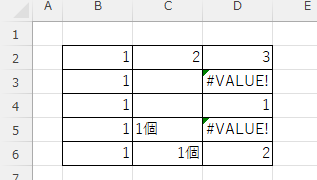
What does the error message "#VALUE!" mean and what can I do about it?

Error messages are unavoidable when dealing with Excel, and you may be surprised when they suddenly appear. Here are the meanings and countermeasures for these errors. As an example of preconditions, let's make a table like this...

Excel Functions

How to use Excel (Excel) INDEX and MATCH functions in combination

We will show you how to display the desired data by combining the INDEX function, which refers to data from a table on another sheet, and the MATCH function. How to Write the INDEX Function There are two ways to write the INDEX function. INDEX(array, row number,) INDEX(reference, row number, , )
Excel Functions

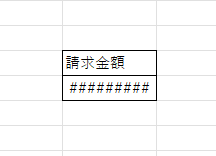
How to correct "###" in cell display Excel (Excel)

When dealing with numbers in Excel, it often happens that the sharpness of the numbers becomes "######" as shown in the title, and the value becomes unreadable. The conclusion is that the reason for the "#####" is that the length of the value is larger than the size of the cell, making it impossible to display...
Excel Macro (VBA)

Automatically create invoices from sales invoices3 Excel (Excel)

Continuing from the previous article, "Creating Invoices Automatically from Sales Statements 2: Excel," we will now move on to creating invoices. If you haven't read it yet, please also read "Creating Invoices Automatically from Sales Statements 1: Excel". Putting details on an invoice (using a macro)...
Sponsored Links
en_USEnglish
Copied title and URL