Sponsored Links
Excel Functions

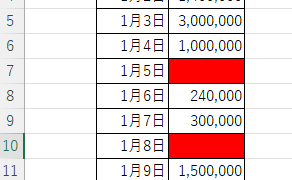
Excel (Excel) Conditional Formatting Methods

Excel has a function to change the format according to cell values and various conditions. Here is an example of a specific setting. Suppose you have a simple table like the one below, and you want to shade in red the cells where no sales have been entered. First, select the range you want to format. Next, select "Home"...
Excel Functions

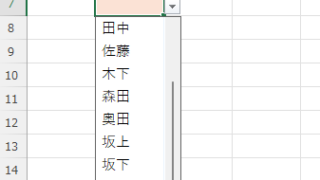
Linking two pull-downs (drop-downs) without macros (for linking only one set) Excel (Excel)

This article explains how to link two dropdown lists in Excel. Are you struggling with how to display only employees relevant to the selected department after choosing it? Actually, you can easily link them using the INDEX and MATCH functions. An Excel expert will teach you how.
Excel Functions

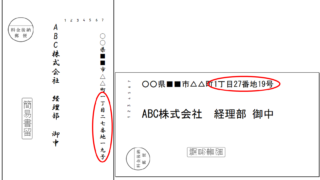
How to Instantly Convert Address Numbers to Kanji Using SUBSTITUTE in Excel.

When printing addresses on envelopes using the address list of a New Year's card or a customer list, for example, horizontal envelopes are written in arithmetic (Arabic) numerals such as "1, 2, 3", while vertical envelopes must be written in Chinese numerals such as "1, 2, 3". Substitute the numbers...
Excel Functions

How to extract characters before a specific character "LEFT and FIND functions in Excel"

As shown in the figure below, if there is extra data after the string and you want to extract only the string to the left of the extra data, you cannot simply use the LEFT function alone because the number of characters is not constant. Function to extract the left side of the "¥" mark in cell "A2" = LEFT(A2,FIND(...))
Sponsored Links
en_USEnglish
Copied title and URL