Sponsored Links
Excel Functions

Excel RIGHT and LEFT functions to extract a specific number of characters from the right or left of a string

I want to display only the four characters from the right of the data entered in a cell, or I want to display the rest of the data without displaying the left few characters. Conversely, I want to display only 4 characters from the left of the data entered in a cell, or I want to display the rest of the data without displaying the few characters on the right. Thus...
Excel Macro (VBA)

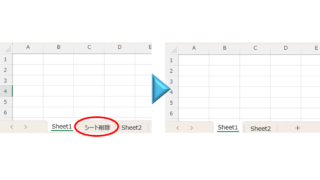
How to delete a sheet by specifying the sheet name VBA(Macro)Excel(Excel)

As the number of unneeded sheets grows, browsing becomes worse, and Excel itself becomes slower. In such cases, you can use VBA to automatically delete unnecessary sheets. In this article, we will show you how to use VBA to delete sheets at high speed...
Excel Functions

How to extract characters before a specific character "LEFT and FIND functions in Excel"

As shown in the figure below, if there is extra data after the string and you want to extract only the string to the left of the extra data, you cannot simply use the LEFT function alone because the number of characters is not constant. Function to extract the left side of the "¥" mark in cell "A2" = LEFT(A2,FIND(...))
Edge

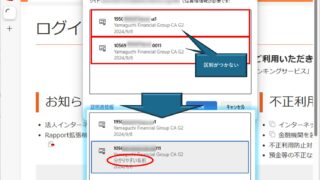
How to Change Digital Certificate Display Names in Microsoft Edge for Easy Identification

How to Change Digital Certificate Names in Edge | Stop Certificate Confusion. Set friendly names for easy identification. Step-by-step guide to distinguish multiple certificates in Microsoft Edge browser.
Sponsored Links
en_USEnglish
Copied title and URL