Sponsored Links
Excel Macro (VBA)

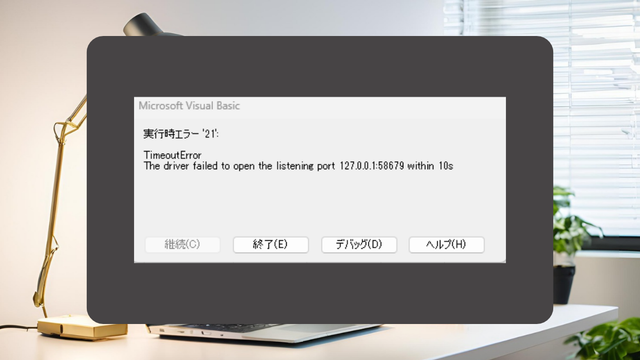
[SeleniumBasic bug] VBA (macro) suddenly stopped working in Excel

To those who have suddenly encountered an error and have had their system become unresponsive with SeleniumBasic. The cause may be the Windows Update "KB5127936" released on October 29, 2026. This article explains the mechanism of the cause and provides emergency measures to uninstall the update.
Excel Macro (VBA)

How to install .NET FrameWork

What are the versions of the .NET Framework? NET Framework (DotNet Framework) comes in various versions (types of toolboxes) with slightly different tools inside...
Excel Functions

VLOOKUP function gives #N/A or #REF!

The VLOOKUP function is a very useful function for handling data, but many of you may have experienced that once you get stuck in the error swamp of #N/A or #REF! In this article, we will discuss how to use the VLOOKUP function to get rid of the #N/A and #REF!
Excel Functions

How to set up a link by inserting a hyperlink Excel (Excel)

Here is how to set up a hyperlink using the Insert Hyperlink function. For example, let's say you have created a document with a table of contents as shown below, which jumps to a cell within the page. Let's say you have created a page with a table of contents as shown in the figure below, and when you click on the name of an item in the table of contents, you will jump to that item. First, let's create a page with a hyperlink to a cell in the page...
Excel Functions

How to extract characters before a specific character "LEFT and FIND functions in Excel"

As shown in the figure below, if there is extra data after the string and you want to extract only the string to the left of the extra data, you cannot simply use the LEFT function alone because the number of characters is not constant. Function to extract the left side of the "¥" mark in cell "A2" = LEFT(A2,FIND(...))
Sponsored Links
en_USEnglish
Copied title and URL