Sponsored Links
Excel Functions

Absolute and relative references in Excel (Excel)

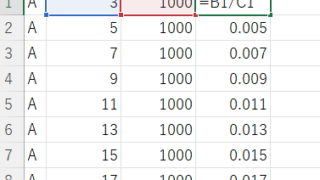
Absolute and relative references are explained below. Relative reference: If you want to display the same contents in cell "C3" as in the neighboring cell "B3", enter the following in cell "C3": =B3. If you want to display the same content in cell "C3" as in the neighboring cell "B3", enter the following in cell "C3": =B3
Excel Macro (VBA)

How to Auto-Resize Excel Columns and Rows with VBA Macros (Copy-Paste Ready)

Struggling with cell misalignment or manual resizing in Excel? This article shows how to efficiently adjust row height and column width using VBA—solved in just a few lines of code by a seasoned macro expert.
Excel Functions

How to Hide Sheet Tabs in Excel – Fast & Easy

A must for Excel system creators and those considering preventing erroneous operations. This article explains with images how to hide sheet headings to prevent unexpected operations. In fact, it can be achieved with only a simple option setting. This article will help you create safe Excel files.
Excel Macro (VBA)

Color every other line alternately to make stripes

When creating a table, it is possible to make the table very easy to read if each row is colored alternately and striped. In this issue, we will show you three ways to do this. How to use the table functionHow to set up a tableSelect a cell anywhere in the table you want to make a table and click "Insert...
Sponsored Links
en_USEnglish
Copied title and URL