Sponsored Links
Excel Functions

Absolute and relative references in Excel (Excel)

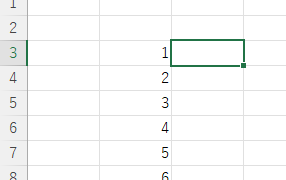
Absolute and relative references are explained below. Relative reference: If you want to display the same contents in cell "C3" as in the neighboring cell "B3", enter the following in cell "C3": =B3. If you want to display the same content in cell "C3" as in the neighboring cell "B3", enter the following in cell "C3": =B3
Excel Functions

How to apply mosaic (blur) Excel

When you are preparing a document or manual for external publication, you may need to refer to a web site or a screen where non-public information is visible. In such a case, you would like to put a mosaic like this on the non-public part. We will explain this method in detail in this issue...
Excel Functions

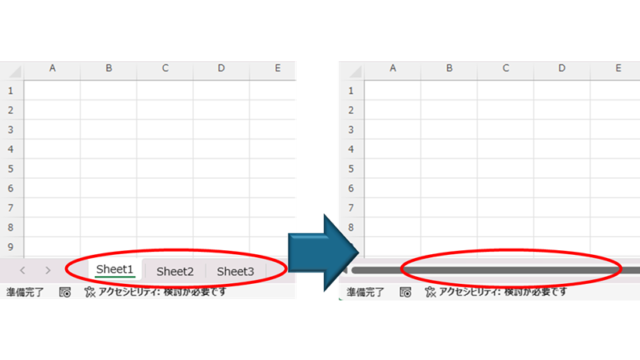
How to Hide Sheet Tabs in Excel – Fast & Easy

A must for Excel system creators and those considering preventing erroneous operations. This article explains with images how to hide sheet headings to prevent unexpected operations. In fact, it can be achieved with only a simple option setting. This article will help you create safe Excel files.
change of occupation

Specific ways to present Excel skills that are useful in job interviews.

You use Excel in your daily work. But are those skills that allow you to say, "I'm good at Excel," really applicable in the job market? Many of us learn the basics of Excel in new employee training and use it in our daily work. Sure, we enter formulas, create graphs...
Sponsored Links
en_USEnglish
Copied title and URL