Sponsored Links
Excel Functions

Excel (Excel) Conditional Formatting Methods

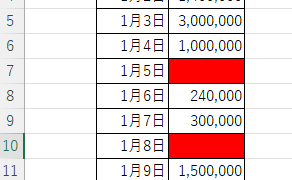
Excel has a function to change the format according to cell values and various conditions. Here is an example of a specific setting. Suppose you have a simple table like the one below, and you want to shade in red the cells where no sales have been entered. First, select the range you want to format. Next, select "Home"...

Excel Functions

How to Disable the Copilot Icon in Excel (4 Simple Ways)

Many of you may have recently started seeing a "Copilot" icon like the one above in Excel. Copilot has many convenient features, but it can be annoying when it constantly pops up every time you select a cell. So, this time...
Excel Macro (VBA)

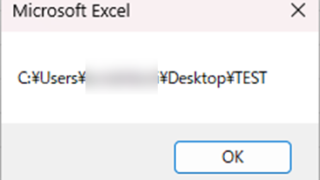
Get the full path (save location and file name) of the opened Excel file "FullName" Excel (Excel) Macro (VBA)

There are many situations where it is useful to be able to retrieve the location of the Excel file you are currently operating on when you are trying to retrieve values from another Excel file or save a file as a name using a macro. In this article, we will show you how to use the "FullName" command, which is useful in such cases. The currently open...
Excel Functions

How to use Excel (Excel) INDEX and MATCH functions in combination

We will show you how to display the desired data by combining the INDEX function, which refers to data from a table on another sheet, and the MATCH function. How to Write the INDEX Function There are two ways to write the INDEX function. INDEX(array, row number,) INDEX(reference, row number, , )
Sponsored Links
en_USEnglish
Copied title and URL