Sponsored Links
Excel Macro (VBA)

Macro suddenly stopped working Excel(Excel) Macro(VBA)

I have been experiencing a phenomenon around me where macros suddenly stop working after having been used normally until yesterday. The phenomenon is that I had set up a macro that is activated by double-clicking on a specific cell, but it no longer responds when double-clicked. I went to "Develop..." to check the contents of the macro.
Excel Macro (VBA)

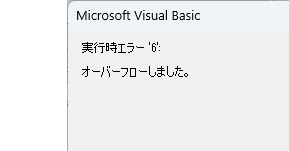
VBA "Overflow occurred." Error cause and remedy (runtime error '6′:)

Cause of ErrorThis error occurs when the data type is not in a format that can be handled, or when the data type exceeds the range of numbers that can be handled. First, let's reproduce the error. As shown in the figure above, we have set up the code to copy the numeric value in cell "B3" to cell "B4".
Excel Macro (VBA)

Excel Macro (VBA): How to use the CountIfs function in VBA! 

If you are a beginner who wants to use Excel's COUNTIFS function in VBA, this is a must. This article provides a thorough explanation from basic writing to error handling. In fact, with a few tricks, you can reduce processing time from a few minutes to a few seconds. Read this article and you will be able to efficiently tabulate data from tomorrow.
Excel Macro (VBA)

PrintOut" printer and automatic printing Excel(Excel) macro(VBA)

Have you ever had the experience of printing the same Excel file every time, only to have to set it up again and again? Have you ever had such an experience? Many people spend a lot of time on Excel printing. Especially in an environment where multiple printers are used, it is a big hassle to change print settings...
Sponsored Links
en_USEnglish
Copied title and URL