Sponsored Links
Excel Functions

How to extract characters before a specific character "LEFT and FIND functions in Excel"

As shown in the figure below, if there is extra data after the string and you want to extract only the string to the left of the extra data, you cannot simply use the LEFT function alone because the number of characters is not constant. Function to extract the left side of the "¥" mark in cell "A2" = LEFT(A2,FIND(...))
Excel Functions

How to paste Excel (Excel) images

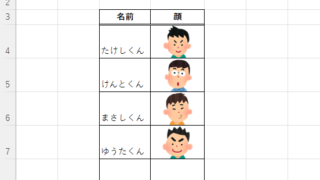
There are functions to do various things with images, such as sticking an image on Excel or fitting an image into a cell. In this article, we will introduce two ways to import images into Excel. Place the image on top of a cellOnce you save the image to a folder somewhere on your terminal, you can use this method...
Excel Macro (VBA)

Macro suddenly stopped working Excel(Excel) Macro(VBA)

I have been experiencing a phenomenon around me where macros suddenly stop working after having been used normally until yesterday. The phenomenon is that I had set up a macro that is activated by double-clicking on a specific cell, but it no longer responds when double-clicked. I went to "Develop..." to check the contents of the macro.
Excel Functions

Automatically create invoices from sales invoices 2 Excel (Excel)

Creating Invoices Automatically from Previous Sales Statements1 Continuing from Excel (Excel), we will create an invoice. Putting the details on the invoice (using a function)*Using the "FILTER" function using Spil*This one uses the Spil function, so you will need to use Microsoft365 or E...
Sponsored Links
en_USEnglish
Copied title and URL