 Excel Macro (VBA)
 Measure macro processing time Excel(Excel) Macro(VBA)
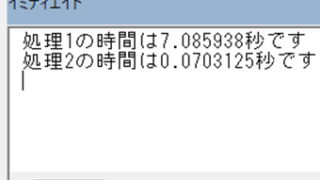
When trying to speed up a macro, it is first necessary to be able to determine how much time was saved before and after the improvement, and how much time was saved or not. To do this, it is necessary to be able to measure the time. In this article, we will show you how to do this. In this article, we will discuss the process of...


 English
  日本語
日本語