Sponsored Links
Excel Functions

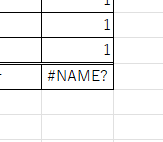
How to extract characters before a specific character "LEFT and FIND functions in Excel"

As shown in the figure below, if there is extra data after the string and you want to extract only the string to the left of the extra data, you cannot simply use the LEFT function alone because the number of characters is not constant. Function to extract the left side of the "¥" mark in cell "A2" = LEFT(A2,FIND(...))
Excel Macro (VBA)

How to Clear Sheet Data with Excel VBA: Simple Macro Tutorial for Beginners

Tired of manually deleting large amounts of Excel data? This article explains how to delete sheet data using VBA macros with ClearContents, Clear, and Delete—completing the task in seconds.
Excel Macro (VBA)

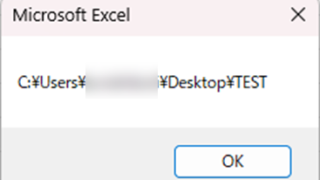
How to use the variable type "Workbook" Excel(Excel) Macro(VBA)

For other variable types, please refer to Excel (Excel) Macro (VBA) about variable types. First, we will explain the basic usage of the variable type "Workbook".
Excel Macro (VBA)

Excel Macro (VBA): How to use the CountIfs function in VBA! 

If you are a beginner who wants to use Excel's COUNTIFS function in VBA, this is a must. This article provides a thorough explanation from basic writing to error handling. In fact, with a few tricks, you can reduce processing time from a few minutes to a few seconds. Read this article and you will be able to efficiently tabulate data from tomorrow.
Sponsored Links
en_USEnglish
Copied title and URL