Sponsored Links
Excel Macro (VBA)

VBA "Overflow occurred." Error cause and remedy (runtime error '6′:)

Cause of ErrorThis error occurs when the data type is not in a format that can be handled, or when the data type exceeds the range of numbers that can be handled. First, let's reproduce the error. As shown in the figure above, we have set up the code to copy the numeric value in cell "B3" to cell "B4".
Excel Functions

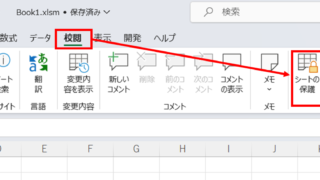
How to set and remove sheet and book protection Excel (Excel)

If you are thinking about preventing Excel mishaps, this is a must! This article details how to set up and remove sheet and book protection. In fact, you can easily set it with a password. This article will help you protect your important data.
Excel Macro (VBA)

How to Disable Automatic Calculation in Excel VBA to Speed Up Your Macros

Learn how to disable automatic calculation in Excel VBA to dramatically speed up your macros. Simple code examples and performance tips included. Boost your Excel automation today!
Excel Functions

Forgot Password] How to remove sheet protection Excel (Excel)

I have a "sheet-protected" Excel file that I really need to unprotect, but the person in charge of applying the protection has already left the company or lost the memo, and I don't know the password. In such cases, do I have no choice but to give up? No, you can...
Sponsored Links
en_USEnglish
Copied title and URL
