Sponsored Links
Excel Functions

Excel to allow entry of items not in the pull-down (drop-down) list

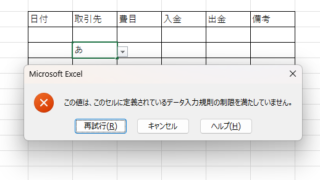
When using the pull-down entry function in Excel with the default settings, if you try to enter an item that is not in the list prepared for entry, an error message like the one shown below will appear and you will not be able to enter the item. In such a case, you can either allow any item to be entered, or display a message...

Excel Functions

How to paste Excel (Excel) images

There are functions to do various things with images, such as sticking an image on Excel or fitting an image into a cell. In this article, we will introduce two ways to import images into Excel. Place the image on top of a cellOnce you save the image to a folder somewhere on your terminal, you can use this method...
Excel Macro (VBA)

The Complete Guide to IF AND in VBA|Thorough explanation from basic syntax to practical techniques

I want to combine IF and AND statements in VBA, but I don't know how to write it..." I have experienced such a problem. Actually, the way to write it is a little different from the IF function in Excel. In my 20 years of Excel work, I have used IF AND in VBA to automate many tasks...
Excel Macro (VBA)

What is an Excel (Excel) Macro (VBA) Module and Procedure?

When dealing with VBA, you will come across terms such as modules and procedures, which are not used in everyday life. So, here I will explain about modules and procedures. Modules include standard modules, book modules, sheet modules, fo...
Excel Macro (VBA)

Get the path (save location) of the opened Excel file "Path" Excel Macro (VBA)

In many cases, it is useful to be able to get the location of the Excel file you are currently working on when you want to retrieve values from another Excel file or save a file as a name using a macro. In this article, we will show you how to use the "Path" command, which is useful in such cases. The currently open Excel file...
Sponsored Links
en_USEnglish
Copied title and URL