Sponsored Links
Excel Functions

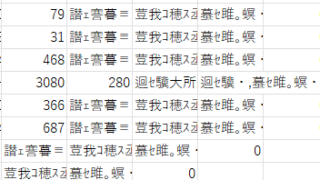
The two reasons for garbled csv files and how to fix them [Thorough explanation by an Excel master] Windows version.

"Huh? What is this?" Have you ever opened a CSV file in Excel only to find that the text in the file is a series of unintelligible symbols? Yes, you are now facing a troublesome problem called "garbled characters," which is a common problem that many people suffer from...
Excel Functions

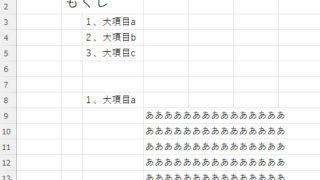
How to set up a link by inserting a hyperlink Excel (Excel)

Here is how to set up a hyperlink using the Insert Hyperlink function. For example, let's say you have created a document with a table of contents as shown below, which jumps to a cell within the page. Let's say you have created a page with a table of contents as shown in the figure below, and when you click on the name of an item in the table of contents, you will jump to that item. First, let's create a page with a hyperlink to a cell in the page...
Excel Functions

How to Extract Text After a Specific Character in Excel Using RIGHT and FIND

Struggling to extract text after a specific character in Excel when data lengths vary? This article explains how to combine the RIGHT and FIND functions to solve the problem—taught by an experienced Excel formula expert.
Excel Macro (VBA)

"How to Create Your First Excel Macro (Beginner’s VBA Guide)

To write a VBA, you start with the "Development" tab, which is not present by default. Click on the File tab, then click on the option...
Sponsored Links
en_USEnglish
Copied title and URL