
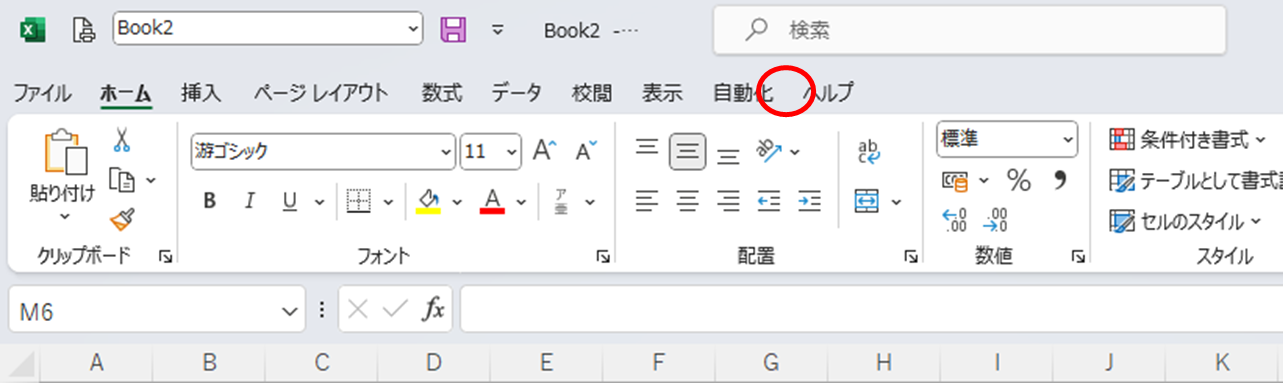
I'm going to write this for people who are new to VBA.
Bring up the development tab
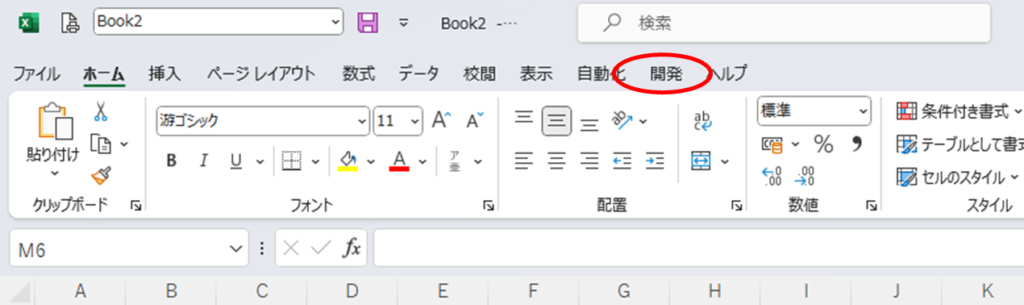
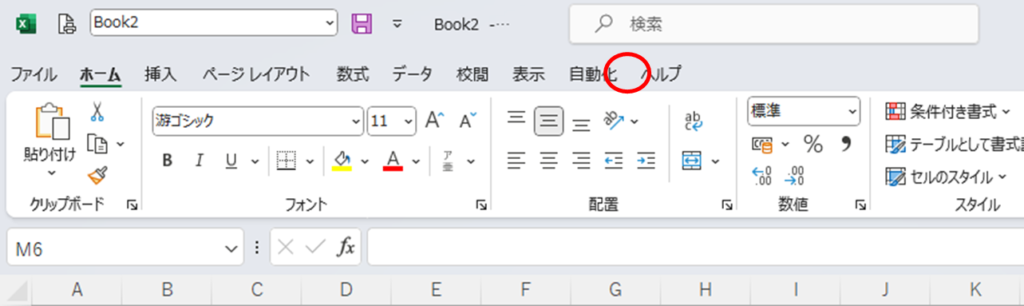
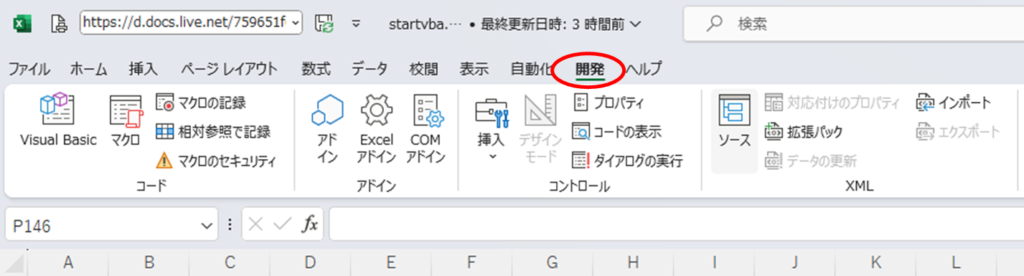
To start writing VBA, you first begin with the "Developer" tab, but since this "Developer" tab is not present in the initial settings, we'll start by making the "Developer" tab appear.
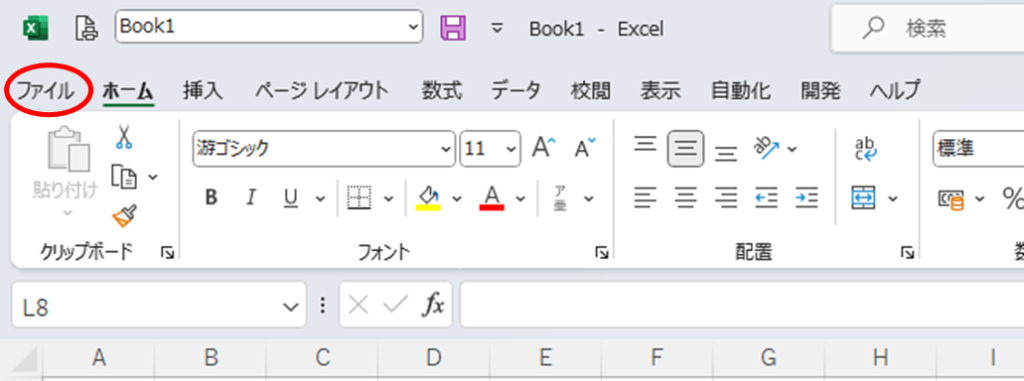
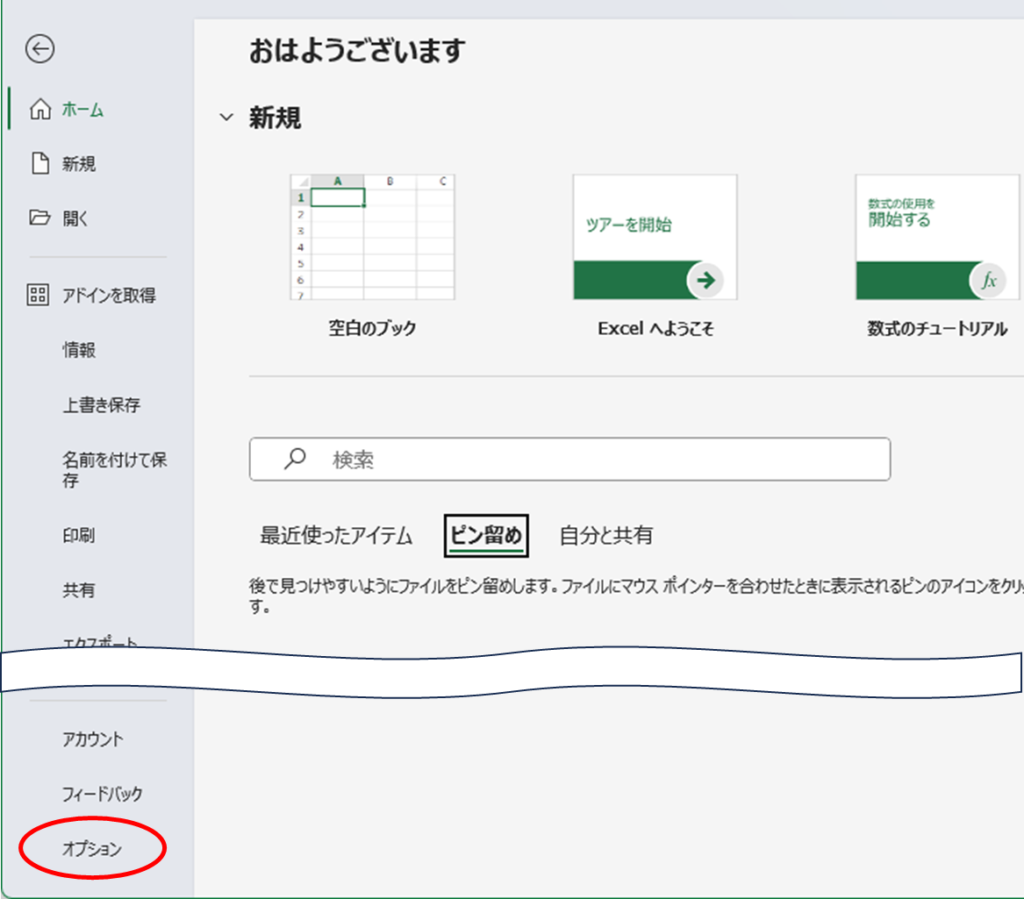
Click on the File tab
Next, click Options
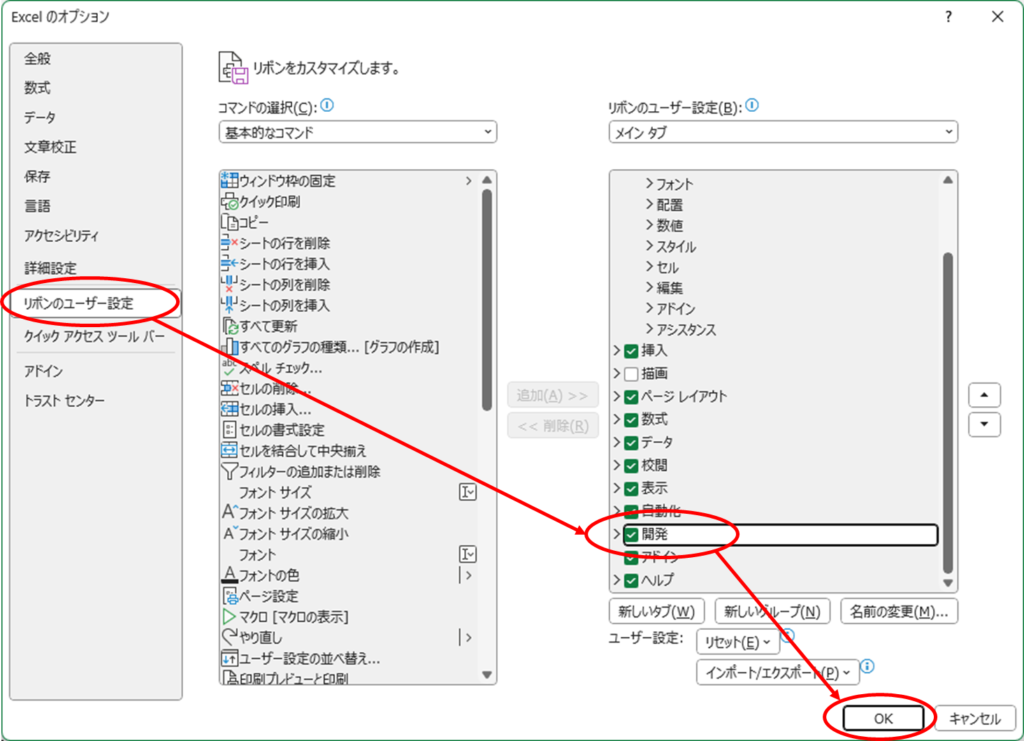
Check the box in the development section.
You have now successfully displayed the Developer tab.
Insert standard module
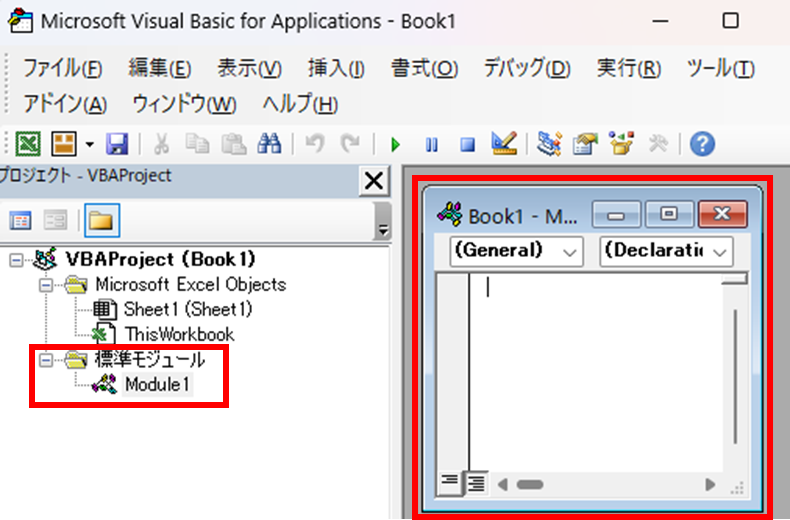
The figure below is a standard module.
What is a module? More specifically,What is an Excel (Excel) Macro (VBA) Module and Procedure?Please refer to.
If you can display the "Developer" tab, click "Show code" within that Developer tab.
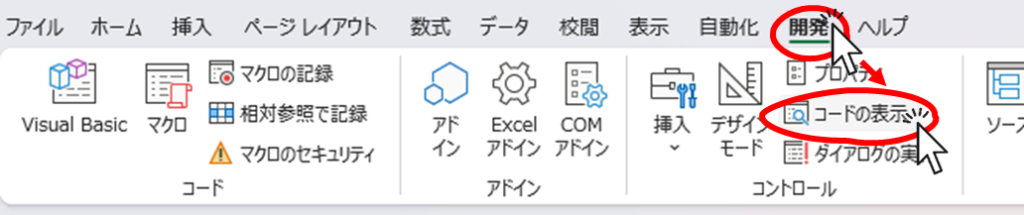
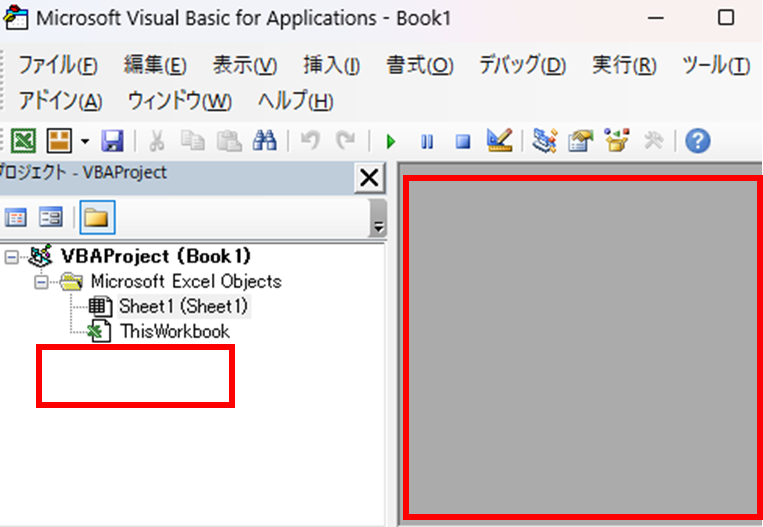
Then, a window like the one shown below will appear.
In the initial state, there are no standard modules within the red frame.
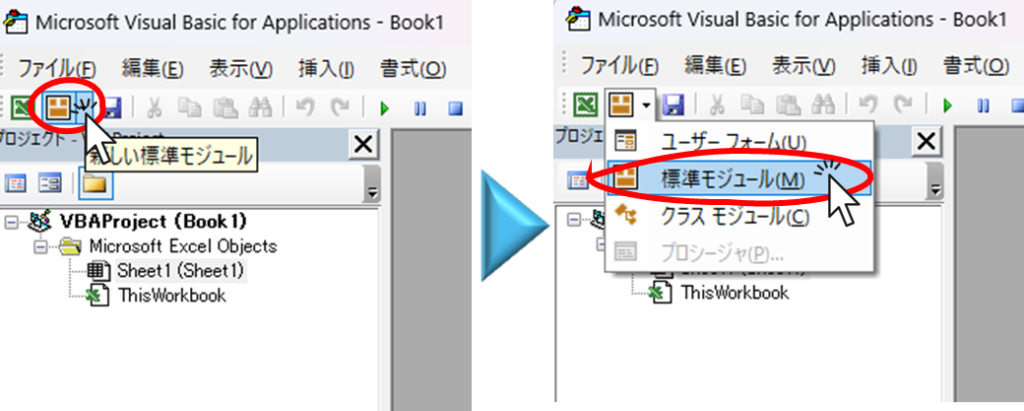
To display the standard module, click the "▼" to the right of "New Standard Module" and then click "Standard Module" from the displayed menu.
Then, a standard module was created as shown in the red frame in the figure below.
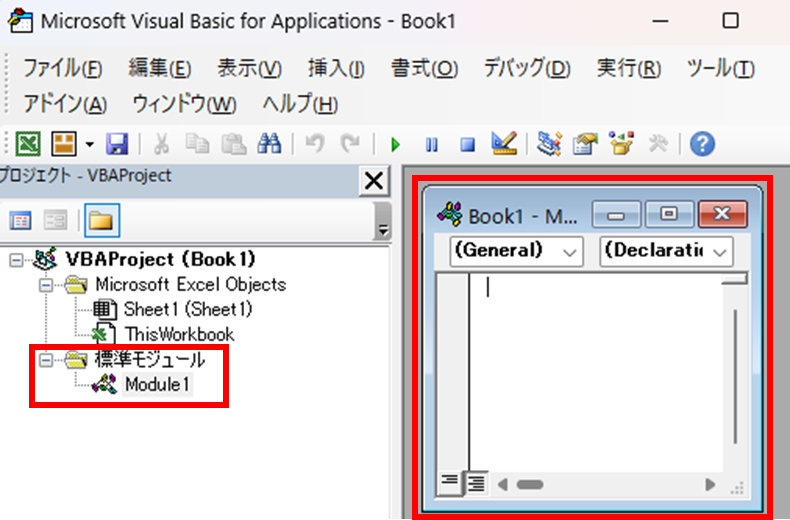
I am ready to write code now.
 English
  日本語
日本語
Comment