Sponsored Links
Excel Functions

Excel to allow entry of items not in the pull-down (drop-down) list

When using the pull-down entry function in Excel with the default settings, if you try to enter an item that is not in the list prepared for entry, an error message like the one shown below will appear and you will not be able to enter the item. In such a case, you can either allow any item to be entered, or display a message...
Excel Functions

How to extract characters before a specific character "LEFT and FIND functions in Excel"

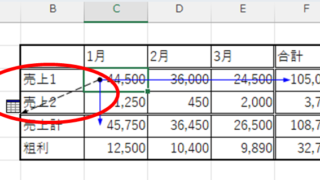
As shown in the figure below, if there is extra data after the string and you want to extract only the string to the left of the extra data, you cannot simply use the LEFT function alone because the number of characters is not constant. Function to extract the left side of the "¥" mark in cell "A2" = LEFT(A2,FIND(...))
Sponsored Links
Copied title and URL