Sponsored Links
Excel Functions

Excel: Color Cells When Input Doesn’t Match Dropdown List

In this article, you'll learn how to use conditional formatting in Excel to automatically change cell colors when a value entered doesn't match the dropdown list. If you've been struggling with errors during data aggregation using the VLOOKUP function, you're not alone. Fortunately, combining the MATCH and ISNA functions offers a simple and effective solution.
Windows

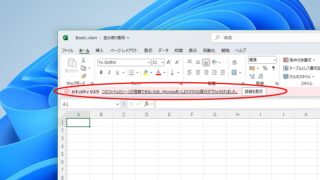
How to Enable Excel Macros: Fix 'Macro Has Been Blocked' Error Safely

If you are having trouble running Excel macros, you have come to the right place. This article explains how to solve the red band message that appears in version 2203 and later. Actually, it can be easily solved by file saving and property settings. This article will help you solve the macro block problem completely. 
Excel Functions

Auto-filter cuts out in the middle, how to fix Excel (Excel)

Have you ever had a situation where you applied an auto-filter and found that the auto-filter was only working on the 20th row, even though data was included up to the 100th row? In this article, we will introduce what you should check when you encounter such a situation. Auto filter aperture...
Let's make a petty cash book.

How to Create a Petty Cash Log in Excel (Invoice-Compliant Template Guide)

Many companies and sole proprietorships use petty cash to keep track of personal and company finances. However, it is very time-consuming and error-prone to keep balances and to post the information in the cash book to the accounting system...
Excel Macro (VBA)

How to Disable Automatic Calculation in Excel VBA to Speed Up Your Macros

Learn how to disable automatic calculation in Excel VBA to dramatically speed up your macros. Simple code examples and performance tips included. Boost your Excel automation today!
Sponsored Links
en_USEnglish
Copied title and URL