Manager

Sponsored Links
Excel Macro (VBA)

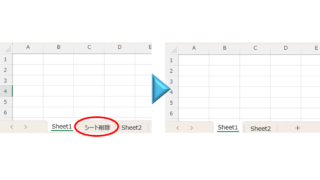
How to delete a sheet by specifying the sheet name VBA(Macro)Excel(Excel)

As the number of unneeded sheets grows, browsing becomes worse, and Excel itself becomes slower. In such cases, you can use VBA to automatically delete unnecessary sheets. In this article, we will show you how to use VBA to delete sheets at high speed...
Excel Functions

How to find function references with trace arrows Excel (Excel)

If you are confused about reference relationships in Excel functions, you have come to the right place! This article details how to find references using trace arrows. In fact, you can easily visualize the relationship between cells from the formula tab. This article will help you understand complex functions.
Excel Functions

3 Easy Ways to Hide or Show Zero Values in Excel: Simple Formatting Tips

As shown in the figure below, when "A1" cell contains 150 and "A2" cell also contains the same number, 150, the calculation result of "=A1-A2" is "0" zero. There are three ways to avoid displaying numbers when the result of the calculation is "0" zero. The result of the calculation is "0" zero...
Sponsored Links
Excel Macro (VBA)

How to Disable Automatic Calculation in Excel VBA to Speed Up Your Macros

Learn how to disable automatic calculation in Excel VBA to dramatically speed up your macros. Simple code examples and performance tips included. Boost your Excel automation today!
Excel Functions

Absolute and relative references in Excel (Excel)

Absolute and relative references are explained below. Relative reference: If you want to display the same contents in cell "C3" as in the neighboring cell "B3", enter the following in cell "C3": =B3. If you want to display the same content in cell "C3" as in the neighboring cell "B3", enter the following in cell "C3": =B3
Excel Functions

How to extract characters before a specific character "LEFT and FIND functions in Excel"

As shown in the figure below, if there is extra data after the string and you want to extract only the string to the left of the extra data, you cannot simply use the LEFT function alone because the number of characters is not constant. Function to extract the left side of the "¥" mark in cell "A2" = LEFT(A2,FIND(...))
Excel Functions

Easy with Excel and Word! Mastering the art of address printing that anyone can do!

Have you ever had to worry about writing addresses for New Year's cards and summer greeting cards? Writing dozens of cards by hand is a lot of work, but buying specialized software is also a bit expensive.... Everyone has experienced this dilemma at least once. But the truth is, your computer...
Excel Functions

How to Extract Text After a Specific Character in Excel Using RIGHT and FIND

Struggling to extract text after a specific character in Excel when data lengths vary? This article explains how to combine the RIGHT and FIND functions to solve the problem—taught by an experienced Excel formula expert.
Excel Functions

How to use the Spill function Excel (Excel)

I had neglected the "spill" feature implemented in Microsoft365 and Excel2021 for a while because I didn't really understand it, but when I tried it, I found it to be very useful. I found it to be very useful. Moreover, I thought that I could do a lot of things by applying this function...
Excel Functions

Linking two pull-downs (drop-downs) without macros (when reflected in multiple rows) Excel (Excel)

Excel複数行連動プルダウンを作りたい人は必見!この記事ではマクロなしで複数行のドロップダウンを連動させる方法を詳しく解説します。実はINDIRECT関数と名前定義で簡単に実現できるんです。この記事を読めば効率的な一覧表が作れます。
Sponsored Links
Copied title and URL