Manager

Sponsored Links
Edge

Digital certificate can no longer be selected when logging in to a site (Edge)

Have you ever seen the following error message when using login with a digital certificate? The certificate you have selected is not available for this service. Please close all browser windows and try again. Internet ban...
Excel Functions

How to set and remove sheet and book protection Excel (Excel)

If you are thinking about preventing Excel mishaps, this is a must! This article details how to set up and remove sheet and book protection. In fact, you can easily set it with a password. This article will help you protect your important data.
Excel Macro (VBA)

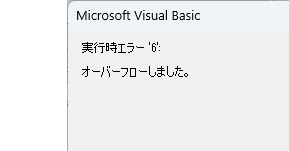
VBA "Overflow occurred." Error cause and remedy (runtime error '6′:)

Cause of ErrorThis error occurs when the data type is not in a format that can be handled, or when the data type exceeds the range of numbers that can be handled. First, let's reproduce the error. As shown in the figure above, we have set up the code to copy the numeric value in cell "B3" to cell "B4".
Sponsored Links
Excel Functions

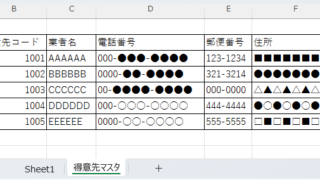
How to Instantly Convert Address Numbers to Kanji Using SUBSTITUTE in Excel.

When printing addresses on envelopes using the address list of a New Year's card or a customer list, for example, horizontal envelopes are written in arithmetic (Arabic) numerals such as "1, 2, 3", while vertical envelopes must be written in Chinese numerals such as "1, 2, 3". Substitute the numbers...
Excel Functions

Excel: Color Cells When Input Doesn’t Match Dropdown List

In this article, you'll learn how to use conditional formatting in Excel to automatically change cell colors when a value entered doesn't match the dropdown list. If you've been struggling with errors during data aggregation using the VLOOKUP function, you're not alone. Fortunately, combining the MATCH and ISNA functions offers a simple and effective solution.
Edge

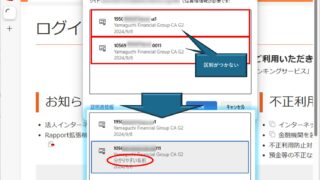
How to Change Digital Certificate Display Names in Microsoft Edge for Easy Identification

How to Change Digital Certificate Names in Edge | Stop Certificate Confusion. Set friendly names for easy identification. Step-by-step guide to distinguish multiple certificates in Microsoft Edge browser.
Excel Macro (VBA)

About Variable Types Excel(Excel) Macro(VBA)

This section explains the types used when declaring variables in "Dim Variables". Here are some typical types of variables that you only need to remember. I almost always use only these. Variable typeThe range of data that can be storedstring stringlong integer (-2,14...)
Excel Functions

What does the error message "#VALUE!" mean and what can I do about it?

Error messages are unavoidable when dealing with Excel, and you may be surprised when they suddenly appear. Here are the meanings and countermeasures for these errors. As an example of preconditions, let's make a table like this...
Excel Macro (VBA)

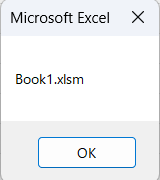
Get the path (save location) of the opened Excel file "Path" Excel Macro (VBA)

In many cases, it is useful to be able to get the location of the Excel file you are currently working on when you want to retrieve values from another Excel file or save a file as a name using a macro. In this article, we will show you how to use the "Path" command, which is useful in such cases. The currently open Excel file...
Excel Functions

Linking two pull-downs (drop-downs) without macros (for linking only one set) Excel (Excel)

この記事ではExcelで2つのプルダウンを連動させる方法を解説します。部署選択後に該当社員のみ表示したいけど作り方が分からず悩んでいませんか?実はINDEX関数とMATCH関数で簡単に連動可能。Excel専門家が伝授します。
Sponsored Links
Copied title and URL