Sponsored Links
Excel Functions

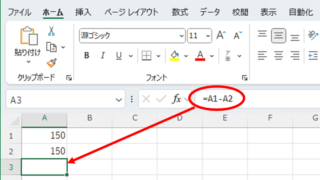
Excel to allow entry of items not in the pull-down (drop-down) list

When using the pull-down entry function in Excel with the default settings, if you try to enter an item that is not in the list prepared for entry, an error message like the one shown below will appear and you will not be able to enter the item. In such a case, you can either allow any item to be entered, or display a message...
Excel Functions

Find Out Which Version of Excel You’re Using – Quick Steps

The functions and functions that can be used may change depending on the version of Excel. You should be able to check if your version is supported when errors or problems occur, so we will show you how to check your Excel version in this issue. Acau...
Excel Macro (VBA)

Measure macro processing time Excel(Excel) Macro(VBA)

When trying to speed up a macro, it is first necessary to be able to determine how much time was saved before and after the improvement, and how much time was saved or not. To do this, it is necessary to be able to measure the time. In this article, we will show you how to do this. In this article, we will discuss the process of...
Excel Functions

How to Insert Rows in Excel Without Breaking Formulas

Having trouble with broken formulas after inserting rows in Excel? This article explains step-by-step how to fix them easily using formula copying—shared by an experienced Excel expert.
Sponsored Links
en_USEnglish
Copied title and URL